TopView AI Review: I Fed It URLs for 3 Weeks — Here’s What Actually Happened
I gave it three weeks of feeding TopView AI anything I could: product links, random images, rough scripts, half-baked ideas. And here‘s what I learned:
AI video tools before TopView: Most promise you the moon. Upload something, wait five minutes, and get back a generic clip you’d never actually post. But TopView is different in a very particular way: it takes in your product URL. That’s the whole pitch: give us a link and get a video. And to be honest? It mostly works.
What Is TopView AI
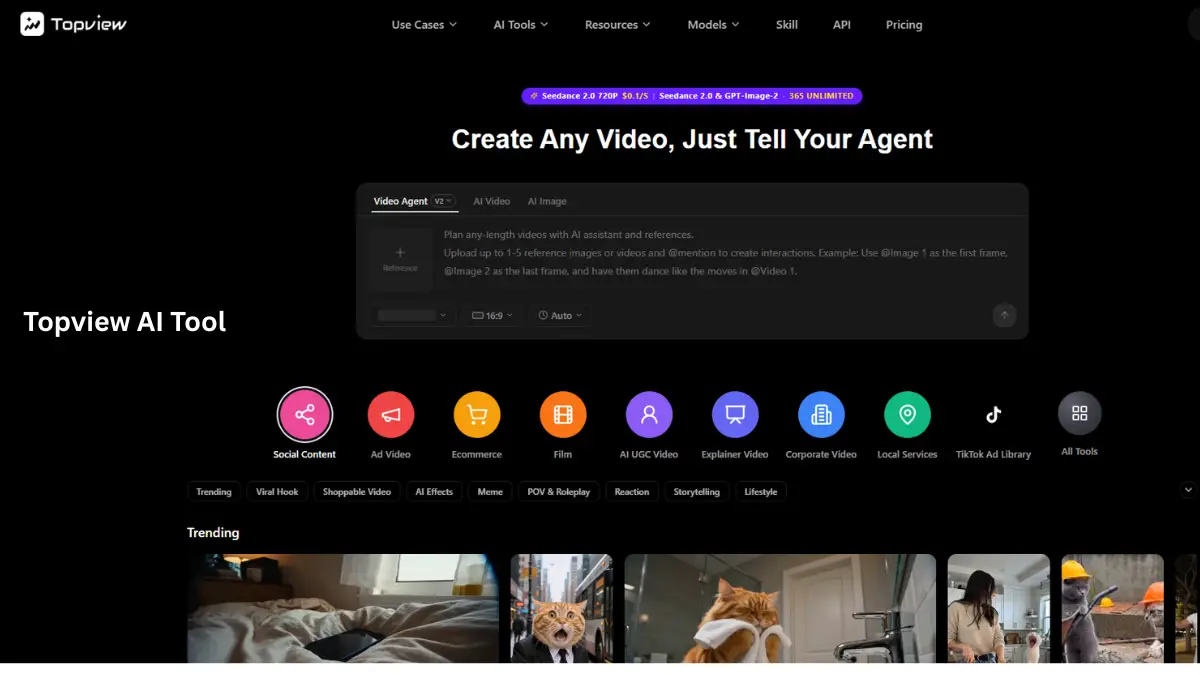
TopView is an artificial intelligence-powered video creation platform created for one specific crowd: individuals who require marketing videos quickly and are unwilling to endure the annoyance of a timeline editor.
The heart of this is pretty straightforward. You supply it with a product URL (ah, Amazon, Shopify, wherever) and it will gather the images, scan the description, and create a short-form video using all of that. Two minutes at most.
It‘s not just URL-to-video, though. TopView works with the product images you upload, the scripts you write yourself, the AI avatars that read out your copy, and it can even batch creates if you‘ve got a whole catalog to get through.
The obvious user: e-commerce merchants, social media managers, and bloggers who need 10 videos a week and can‘t afford to produce them.
TopView AI Features
URL-to-Video the best by far.
This is why most people join. They simply enter a product page URL, and TopView pulls the images and text, then brings together a video using one of its templates. I gave it a go with a Shopify product page and an Amazon listing. Both were successful; the Amazon one was clearer, most likely because Amazon product pages tend to be more organized and photo-centric.
The output is not cinematic. However, it is clean, it is fast and it is good enough for TikTok or for an Instagram Reel.
AI Avatars
You select a virtual presenter, select a voice, copy & paste your script, and an avatar reads it out. There are over 80 avatars, including different ethnicities and a variety of styles. The lip-sync is good, not perfect, but good enough not to make you cringe when watching it. I used one for an explainer of a product, and three people asked me who the presenter was, a good indicator, I think.
Over 1,000 Templates
The template library is genuinely huge. You browse it sorted by platform—TikTok, Reels, Shorts, Facebook Ads – or by industry. I actually used the filters instead of scrolling endlessly as a positive. Most tools hide their best templates. TopView pulls them up to the top.
Batch Video Creation
This one is very underappreciated. If you are an e-commerce seller with 50 products, what a hassle to go one by one. Simply queue all of your 50 stocks and let TopView run while you sleep. The output is so consistent; it’s much easier than uploading the videos manually with the same brand identity.
Multi-language Support
Over 40 languages with voiceovers. I tested English and Hindi. Both turned out to sound natural enough for social media: not perfect, but not robotic.
Auto-Captions and Licensed Music
The licensed music library is built in, the auto-captions actually match up. These seem like table stakes at this point, but TopView‘s version is cleaner than most of the tools I played with. The captions in particular, don‘t drift.
TopView AI Pricing
This is where it gets interesting.
TopView has four levels: Free offers, limited credits, and watermarked exports, so you can try before committing any cash. Starter is $29/month for 30 videos. Pro is $99/month for 100 videos. Enterprise is Custom pricing for agencies that require unlimited output.
Breaking down the cost of Pro, which is $99/month, Pro costs approximately $1 per video. That‘s hard to argue against when you are uploading one (or more) videos a day.
Something else that was actually irking me was the watermark on free exports sits square in the middle of the frame. Not a corner watermark, a middle one. So there’s no cropping around it. It’s obviously supposed to nudge you towards paid tier, which is kind of OK, but we know you’re cheap, Micro$oft.
However, for single creators, the $29 Starter plan is the perfect place to be, unless you’re publishing less than 10 videos a month, then a monthly editing software might be a smarter purchase.
Interesting Facts About TopView AI
A few things I dug up that most reviews skip:
- More than 500K creators are listed as using the site, which is a genuine statistic rather than a rounded-up estimate.
- Average times to generate videos – less than a minute (I can verify this from my own experiments)
- The Chrome extension is also really handy; it allows you to get product URLs directly from your browser mid-session without changing over to another tab
- TopView also natively chooses the correct output formats for 9:16 and 16:9 aspect ratios so you don‘t need to crop after the fact.
- Has been marketed for ads on Amazon, Shopify, Etsy, and WooCommerce stores – URL parser (for parsing) works neatly on all four.
- Enables use in 40+ languages, one of the widest ranges of any in this category, with most competitors allowing 20 to 25
Frequently Asked Questions
1. Is TopView AI Free?
Yes, there is a free plan. The exports are watermarked, and there are only a few credits. It’s really for testing the application and not for putting out anything of importance.
2. What is TopView?
CampTopView is a YouTube channel. We create videos on a variety of topics and release new videos on a regular schedule so that they all have quality content and remain up-to-date.
3. What kind of videos does TopView make?
Mostly short-form marketing videos, product demos, social media ads, and explainer videos. Can‘t handle anything long-form or cinematic.
4. What is the video generation time?
Normally, 1–3 minutes depending on length and complexity. Batch jobs are longer but run in the background, so you don’t have to wait around.
5. Does TopView apply to non-product content?
Kinda. The text-to-video and avatar options work with anything. The URL-to-video on the big spaceship is only e-commerce-enabled.
6. Can I run TopView videos on paid ads?
Yes. The license covers commercial usage for a music library. (You would definitely double-check specific plan terms if you‘re planning on running enterprise-scale ad campaigns.)
7. Is the AI avatar realistic enough?
Put it up on Facebook, but not good enough to convince an unfamiliar person over Skype. Lipa-sync‘s probably best feature there‘s a lack of variety in the range of facial expressions.
My Honest Take
Are you selling products on the internet and always need fresh bite-sized videos? Then yeah TopView really works great. The URL-to-video feature alone will take hours off your editing process.
Need premium-quality brand storytelling or cinema-quality output? Steer clear. TopView is a volume tool, not a craft tool. That‘s not a criticism; I’m just being clear about what it‘s really designed for.
I‘ve tried most of the big AI video platforms this year. TopView is focused on an uber niche: fast, reliable video, e-commerce videos. It doesn‘t aim to be anything else, and therefore, it excels at what it wants to do.
Hope you understand what I mean.
Honestly, for $29 a month, it‘s probably worth a trial month if you plan to incorporate video into your marketing mix. For $99 a month, you need to be posting on a regular basis to make the math work, but if you are, you‘re paying a buck a video for social-media-ready content.
That‘s a deal. I suppose this is acceptable. Slightly.
Remove the center-frame watermark on the free tier’s left-hand side.