Kinetik AI Agent: I let it Plan my Social Media Content for a month.
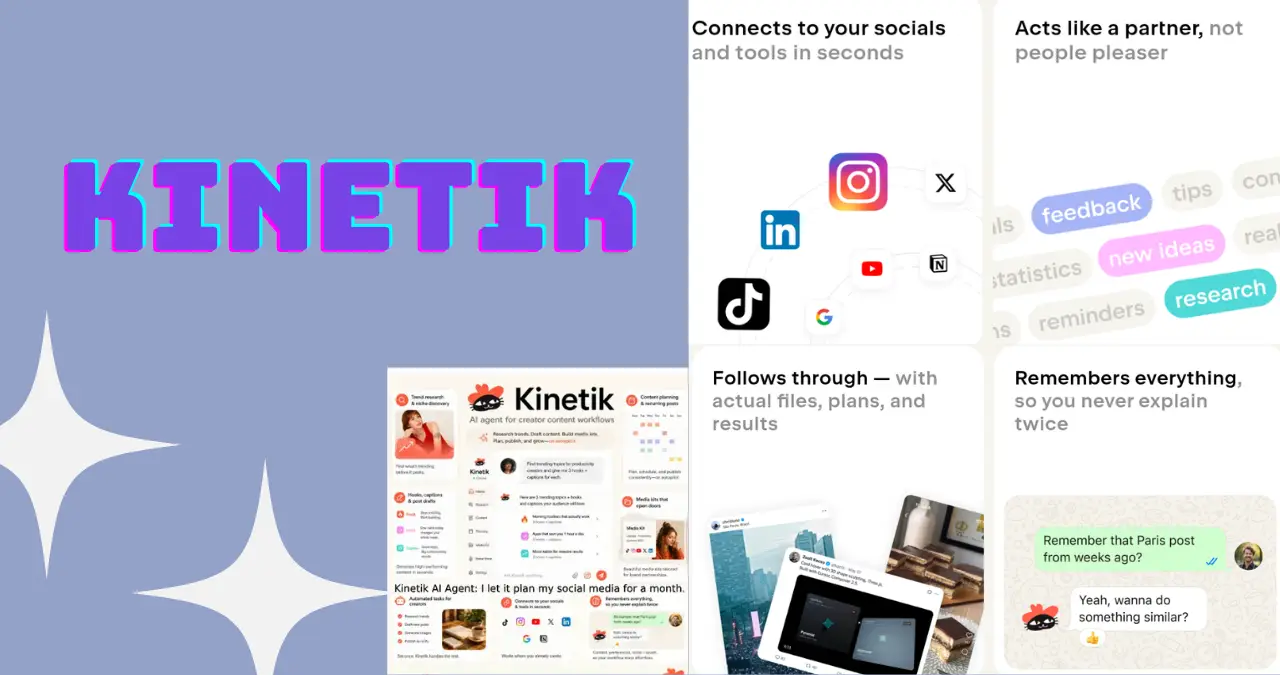
Any social media manager knows that the real work is not captions they‘re planning. What to post, when, which platform and how to make three feeds look like you didn‘t hire three different people. The Kinetik AI agent is designed to do just that planning for you, and I‘ve been running it on the social channels of one of my own websites for a few weeks now. Not a spec list I was just getting the post in WhatsApp on the Monday morning.
Kinetik What Is It?
Kinetik is a chatbot from a small startup based in London by the name Kineto. It‘s made for creators, social media marketers, and agencies who spend more time researching and strategizing than actually creating. Rather than existing solely in a dashboard, it‘s integrated into all of the apps you‘re already using (Slack, WhatsApp, Telegram, with iMessage for the future) and directly links to Instagram, TikTok, YouTube, and X.
Kineto was a spin off from JetBrains and Kinetik was launched publicly in June 2026, playing less as a caption generation tool and more an operational layer for your social presence: your trend research, competitor analysis, content planning, and analytics all delivered by your agent.
How I‘ve Been Using Kinetik?
Kinetik is used as a social media manager for one of my sites. It‘s a fairly straightforward use case, scheduled weekly content updates by Twitter, Facebook, and Instagram. I‘m using the free version, and every Monday, then Kinetik drops a sharable link on my WhatsApp, with each weekly content plan broken down by platform.
That‘s the entire process on my side. No logging into dashboards, no logins for a separate app just a message sitting there on Monday morning with a plan that I can get to work on right away. For a one-man band managing a handful of accounts, that alone will save the hour I usually spend staring at a blank content calendar and scratching my head over what to post next.
How Kinetik Works?
The setup is closer to texting an assistant than learning new software:
- Send a Message Kinetik on WA, Slack, or Telegram with a thought, a notion, or simply “plan my week”.
- Link your accounts on Instagram, TikTok, X, YouTube to their system so it can bring real performance numbers, not guesses.
- Obtain platform-specific output, such as caption, hooks, short-form scripts, or a comprehensive weekly plan, tailored to your request.
- “Refine in a chat” directly ask it to reword, abbreviate, or fit your voice without needing an independent editor.
- Export or share: I just get mine as a link, which opens straight from What‘sApp.
Features Worth Trying First
| Feature | What it does | Best for |
|---|---|---|
| Weekly content planning | Sends a ready-made posting plan by platform, delivered via chat link | Social media managers running multiple profiles |
| Trend & audience research | Monitors your niche across platforms and the web for content ideas | Creators short on ideation time |
| Voice notes to structured plans | Converts a spoken idea into a formatted content table (Notion-friendly) | Creators who think out loud |
| Video analysis | Reviews pacing, editing, and composition with timestamp feedback | Short-form video creators |
| Competitor & campaign monitoring | Flags unusual spikes or drops so you catch issues early | Agencies managing client accounts |
If your content stack leans heavily on short-form video, it’s worth pairing Kinetik’s planning with a production tool like TopView — Kinetik tells you what and when to post, TopView helps you actually produce the clip.
Kinetik Pricing
Kinetik has a credit system instead of a simple flat fee per post and it‘s a little hard to get used to.
| Plan | Price | Credits | Good for |
|---|---|---|---|
| Free Trial | $0, no card required | 175 credits (~50 messages) | Testing the workflow before committing |
| Creator | $12.50 first month, then $25/month | 700 credits | Solo creators and managers doing weekly planning |
| For Teams | Custom | Scales with seats | Agencies running Kinetik in shared Slack channels |
I have been using the free tier of weekly planning on one profile and it has been well covering my needs so far. If you are managing plans for many clients, you will probably consume credits more quickly in this case and should consider the Creator tier.
Kinetik vs. Generic AI Writing Tools
AI content tools tend to be used to create more posts — engagement-focused tools like Postdrips are built to make individual posts more interactive, for example.. Kinetik is concerned with what should be posted and at what time/days/weeks etc a different task altogether.
| Kinetik | Typical AI caption tool | |
|---|---|---|
| Lives in | WhatsApp, Slack, Telegram | Standalone web app |
| Core job | Planning, research, analytics | Text/caption generation |
| Connects to your accounts | Yes (Instagram, TikTok, X, YouTube) | Rarely |
| Delivers | Weekly plans, shot lists, trend alerts | One-off captions |
| Learning curve | Chat-based, minimal | Varies by tool |
Kinetik Pros and Cons
What is working:
- And no additional login or app switching for delivery via WhatsApp- the plan just appears.
- Planningper week. Not just automated one-click scheduling, but actually being able to eliminate the “whatdo I post today” scramble.
- Free tier at least capable of testing the workflow, not simply a demo.
Where it falls short:
- It is a relatively new product (began in June 2026), so currently has limited integrations (“coming soon” for some, such as iMessage).
- Credit system requires a touch of adjusting, you never quite know how far you‘ll get with a credit in a research intensive week.
- How it‘s built for the planning and strategy layer; is not meant to be a polished long-form writing or video editing application, so stop equating it with that. Pair it with a dedicated tool like Higgsfield.ai if video production is your bottleneck.
Is Kinetik for You?
Kinetik is most logical if you‘re in charge of social profiles by yourself or within a small team and prefer planning to be handled for you rather than going through the process of creating a content calendar week-by-week. If your biggest challenge is research and scheduling, not the writing itself, this is specifically designed to fill that void. If heavy video editing, image creation, or long blog posts are more common for you, use Kinetik as the planning piece and combine it with separate tools. See our breakdown of different types of AI assistants for what handles what.
FAQ
Does Kinetik work on which platforms?
Kinetik integrates with the platform accounts, from Instagram, TikTok, YouTube, and X and sends its plans through WhatsApp, Slack, or Telegram. iMessage plans are specified as “coming soon” at the June 2026 rollout date.
Is Kinetik free to use?
Yes, free trial of 175 credits Kinetik and no card is necessary (that can be used for something like 50 messages). This should be enough to try out weekly content planning before deciding to upgrade.
What is Kinetik delivering composition plans?
On the free plan, Kinetik throws a shareable link straight to your chat app (mine is WhatsApp, on Mondays), with each week‘s plan intact by platform so you can put it into action.
Bottom Line
Kinetik isn‘t attempting to do your writing for you; it‘s attempting to prevent you from staring at a blank content calendar every Monday. For solo social media managers and small teams, having a plan arrive in WhatsApp before you‘ve had your caffeine is a positively beneficial change and a free tier is generous enough to see whether it earns a permanent place in your workflow.